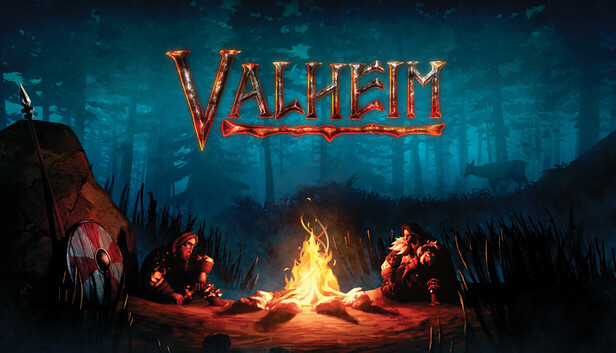
VALHEIM
Server Hosting
Conquer the Tenth World with your fellow Vikings. Experience zero-lag hosting with full crossplay, BepInEx mod support, and automated backups. Sail, build, and defeat the Forsaken on your own dedicated server.
Use code NormandinSystems-a-1588 for 20% off!
Why host Valheim with us?
-
PC & Xbox CrossplayPlay seamlessly with friends across Steam and Xbox Game Pass.
-
1-Click ModdingInstall Valheim Plus, BepInEx, and custom maps instantly.
-
High-Tickrate PerformanceNo desync when sailing longships or defending massive bases.
Worthy of the Gods
Don't let server lag ruin your Viking experience. We provide the enterprise hardware required to handle massive terraforming, complex structural integrity, and epic boss fights.
NormandinSystems-a-1588 at checkout!True Cross-Platform
Whether your friends are on Steam, Microsoft Store, or an Xbox console, everyone can join the same persistent world with a simple crossplay toggle.
Bring Your Own World
Already started a single-player base? Easily upload your local `.fwl` and `.db` world save files directly via our intuitive FTP access and pick up where you left off.
Valheim Plus & Modding
Tweak stamina, structural limits, and inventory sizes. Install BepInEx and popular modpacks with a single click to completely customize your gameplay.
Survive the Viking Purgatory
Valheim is a brutal exploration and survival game for 1-10 players, set in a procedurally-generated purgatory inspired by Norse mythology. From the peaceful Meadows to the freezing peaks of the Mountains and the dangerous Mistlands, you'll need to gather resources, craft deadly weapons, and build formidable fortresses.
Why is a dedicated server crucial? Valheim's default peer-to-peer multiplayer relies on the host's PC and internet connection. If the host logs off, the world shuts down. Furthermore, complex terraforming, massive player-built mead halls, and sailing longships can cause severe desync without dedicated hardware. Renting a server ensures your world is online 24/7, smooth, and ready for your clan.
Advanced Structural Integrity
Design magnificent mead halls and castles. Valheim features a deep building system that calculates weight and structural support. Our servers calculate these physics effortlessly.
The Forsaken Boss Fights
Summon and defeat legendary mythical beasts like Eikthyr, Bonemass, and Yagluth. Combat requires precise dodging and blocking—you need a high-tickrate server to avoid lag.
Sailing & Exploration
Build karves and longships to cross treacherous oceans. A dedicated server prevents the dreaded "boat desync" that can toss you and your valuable iron ore into the sea.
Server Specifications
Absolute Control Over Your Realm
Managing a Valheim server has never been easier. Our partner's custom control panel gives you unprecedented access to your world. Adjust server settings on the fly, manage admin lists, and schedule automated backups to ensure your massive fortresses are never lost to a troll raid.
Live Console
Monitor server health, view real-time chat, and issue devcommands instantly from your browser.
Automated Backups
Valheim world saves can get large. Schedule regular backups of your .db and .fwl files to protect your progress.
Easy Config Edits
Tweak server name, set passwords, and enable crossplay via a user-friendly UI or raw text editor.
Player Management
Edit your adminlist.txt, bannedlist.txt, and permittedlist.txt with just a few clicks to keep your server secure.
Ready to enter Valhalla?
Click below to be redirected to our exclusive ZAP-Hosting deployment page. Don't forget your voucher!
Valheim Admin Resources
Master your server. Everything you need to configure your world, install mods, and manage your Viking clan.

How to add Admins in Valheim
Learn how to find your Steam64ID and add it to the adminlist.txt file to grant yourself full devcommands and kicking privileges.

Installing Valheim Plus
A step-by-step guide to installing BepInEx and configuring Valheim Plus to tweak stamina, inventory space, and building limits.

Uploading a Local World Save
Don't want to start over? Discover how to use FTP to migrate your existing single-player .fwl and .db files to your new dedicated server.
Valheim Hosting FAQ
Got questions about running your own Viking world? We've got answers.
Does this support crossplay between Steam and Xbox?
Yes, absolutely! Crossplay is fully supported. You can easily enable it via a simple toggle in the server settings, allowing PC and console players to explore together.
Can I upload my existing single-player world?
Yes. Using the provided FTP credentials, you can easily drag and drop your local `.fwl` and `.db` save files into the server's worlds folder and continue right where you left off.
How many players can join my server?
By default, Valheim has a hard cap of 10 concurrent players to preserve game balance. However, if you choose to install specific mods, you can bypass this limit.
Can I install mods like Valheim Plus?
Yes. Our hosting partner provides 1-click installations for BepInEx, making it incredibly easy to install and manage popular mods like Valheim Plus directly from the web panel.
Is my server online when I turn my PC off?
That's the beauty of dedicated hosting! Your server runs 24/7 on our enterprise hardware. Your friends can log in, build, and farm resources even when you are asleep.
How do I claim the 20% discount?
Click any of the deployment links on this page. At checkout, enter the promo code NormandinSystems-a-1588 to instantly apply your 20% discount!